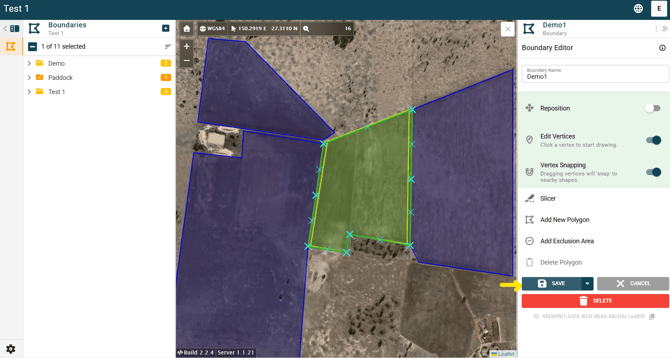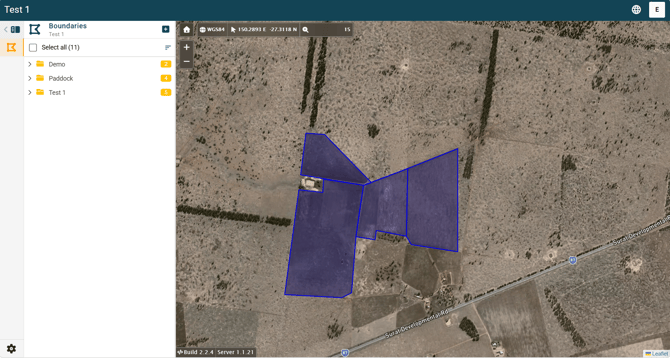
The “Vertex Snapping” function is used to align the edges of adjacent boundaries within a project. This can be applied to existing boundaries or when creating new ones (see separate article on Creating New Boundaries for instructions).
For example, it can be used to:
- Align boundaries along the same paddock fenceline or irrigation channel
- Remove gaps between boundaries created during free drawing
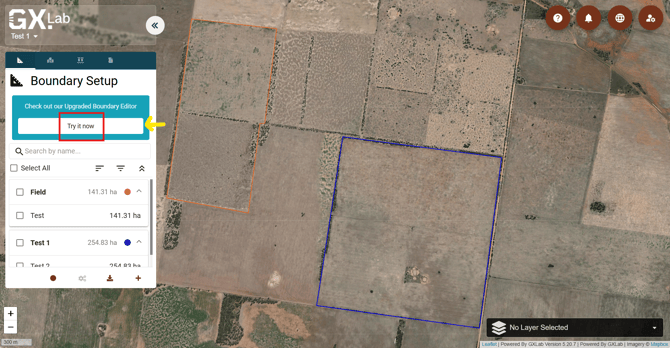
1. Open your project in the Upgraded Boundary Editor platform (GMS) by clicking the “Try it now” button under the Boundary Setup tab on the left.
2. Once your project is open, click on a boundary you want to align with an adjacent boundary.
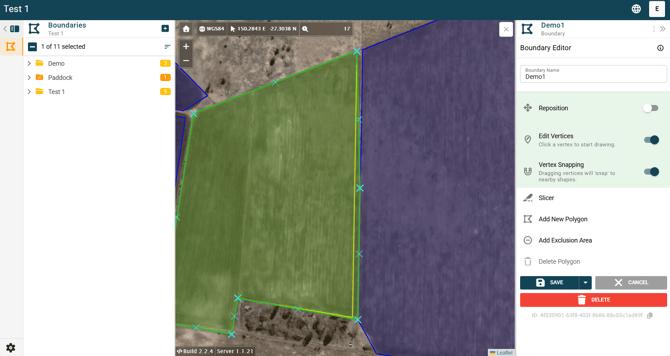
3. In the panel on the right side of the screen, locate “Vertex Snapping” and toggle it on.
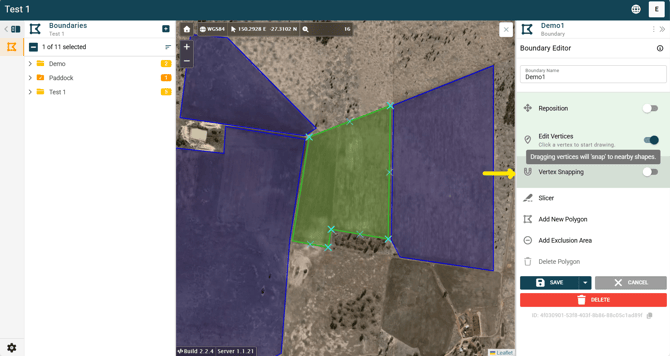
4. Drag a vertex toward the nearby boundary. The vertex will automatically snap to the adjacent edge when it is within range.
- The green line shows the updated boundary
- The yellow line shows the original boundary
5. Continue adjusting vertices as needed. When you’re finished:
- Click “Save” to apply the changes, or
- Click “Cancel” to discard them.