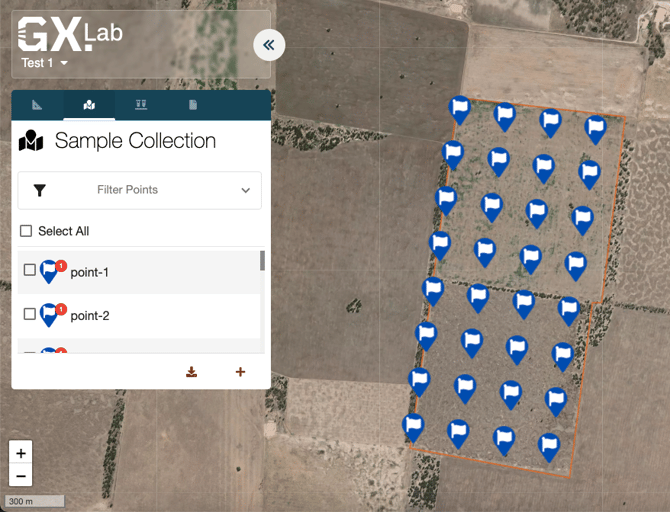
Follow these steps to generate a sample plan using our software:
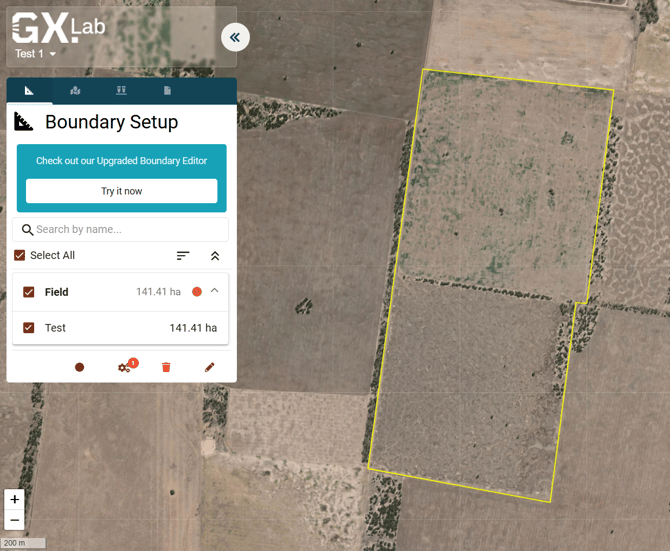
Step 1: Select Boundaries
- Navigate to the Boundary Menu.
- Choose the boundaries for which you want to create a sample plan.
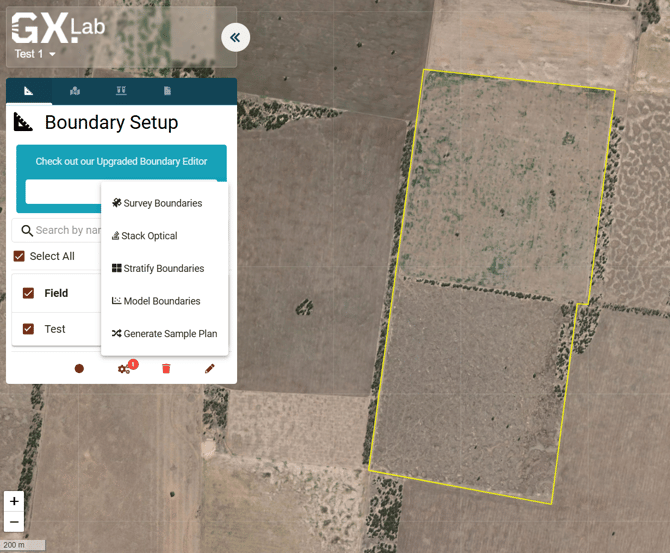
Step 2: Generate Sample Plan
- Go to the Processing Menu.
- Select Generate Sample Plan
Step 3: Sample Plan Screen
- You will be directed to the Sample Plan screen.
- Choose to generate sample locations either randomly or based on a grid.
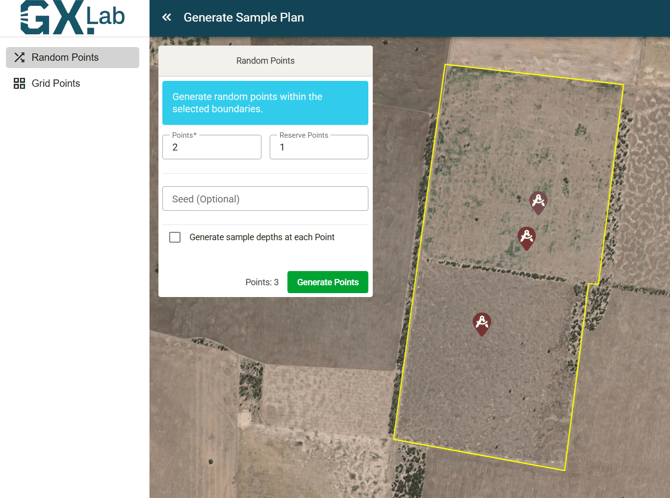
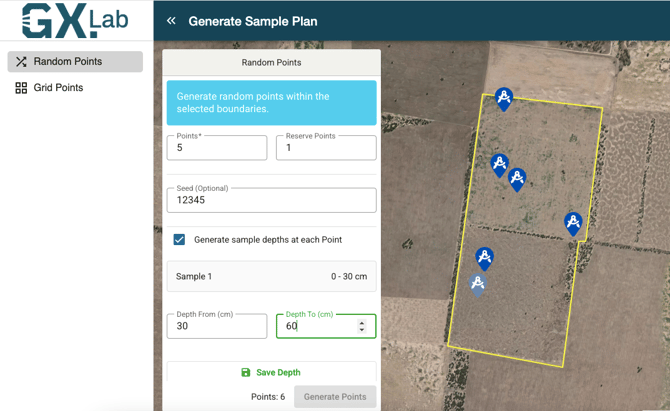
Step 4: Generate Random Points
- Enter the number of points you wish to generate.
- Specify the number of reserve points.
- Optionally, enter a starting seed number (required for some regulated carbon offset projects). If omitted, a pseudo-random seed will be chosen for you.
- Enter the sample depth(s). You can generate up to 300 random sample points at once.
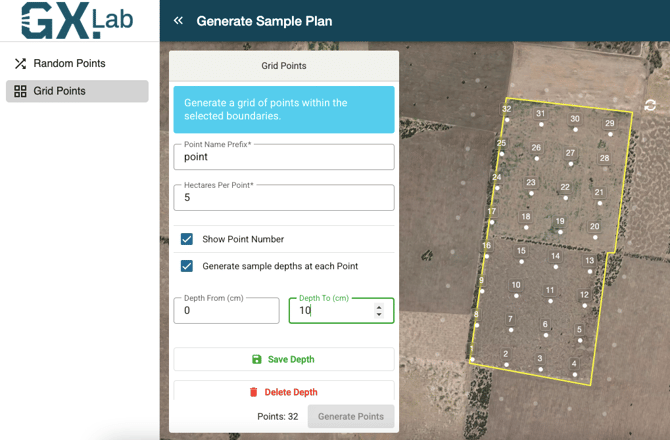
Step 5: Generate Grid Points
- Select the grid size.
- Enter the sample depths for each grid point.
- Rotate the grid by selecting the top right corner point.
- Move the grid by clicking and dragging the centre point.
Step 6: Create Points
- Once ready, select Generate Points.
- You will be returned to the Point Menu where your generated points will be displayed.